In medicasimple, there are various ways to add expenses:
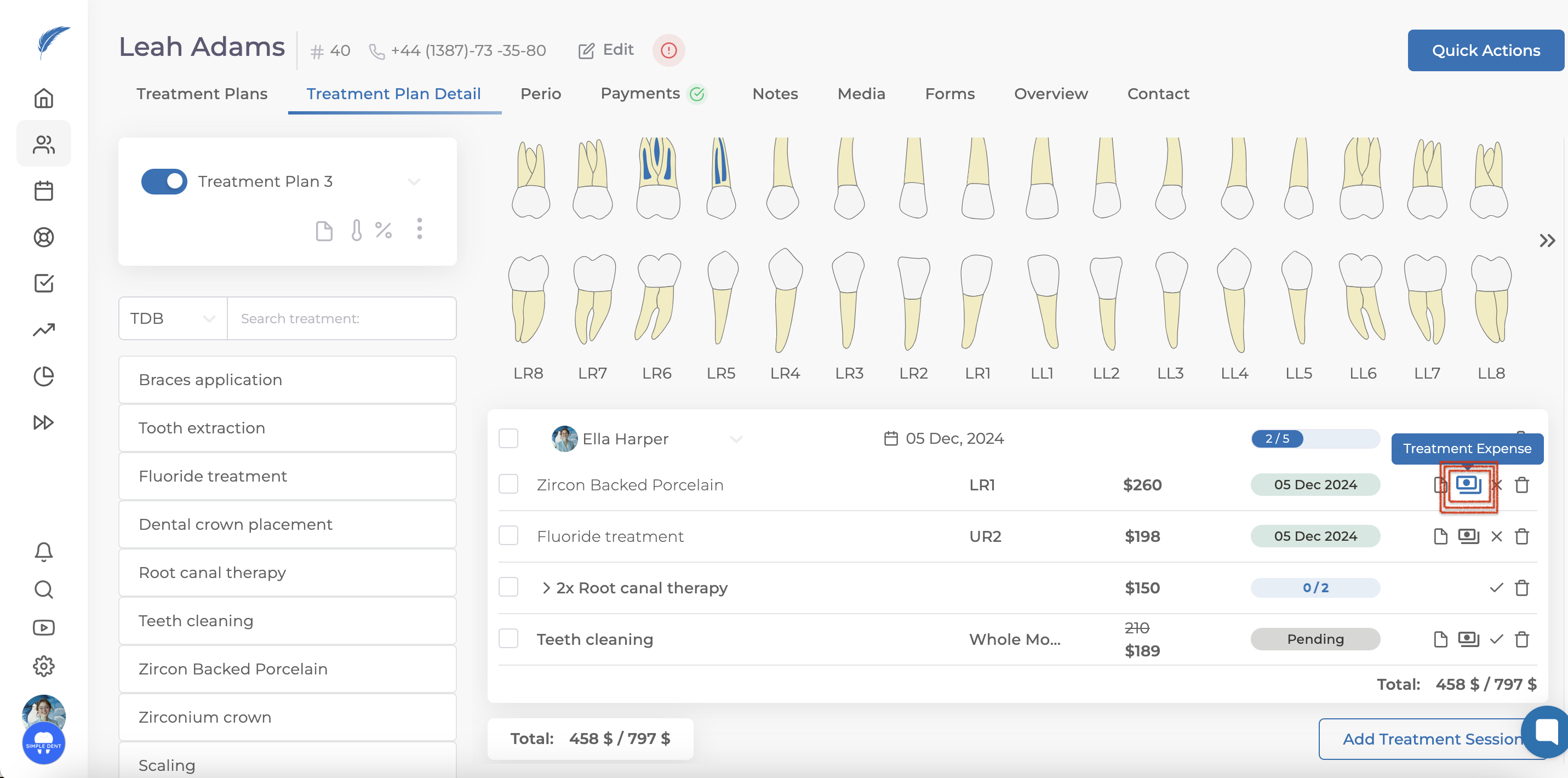
To add an expense through a treatment, click on the Treatment Expense option at the far right of the treatment item.
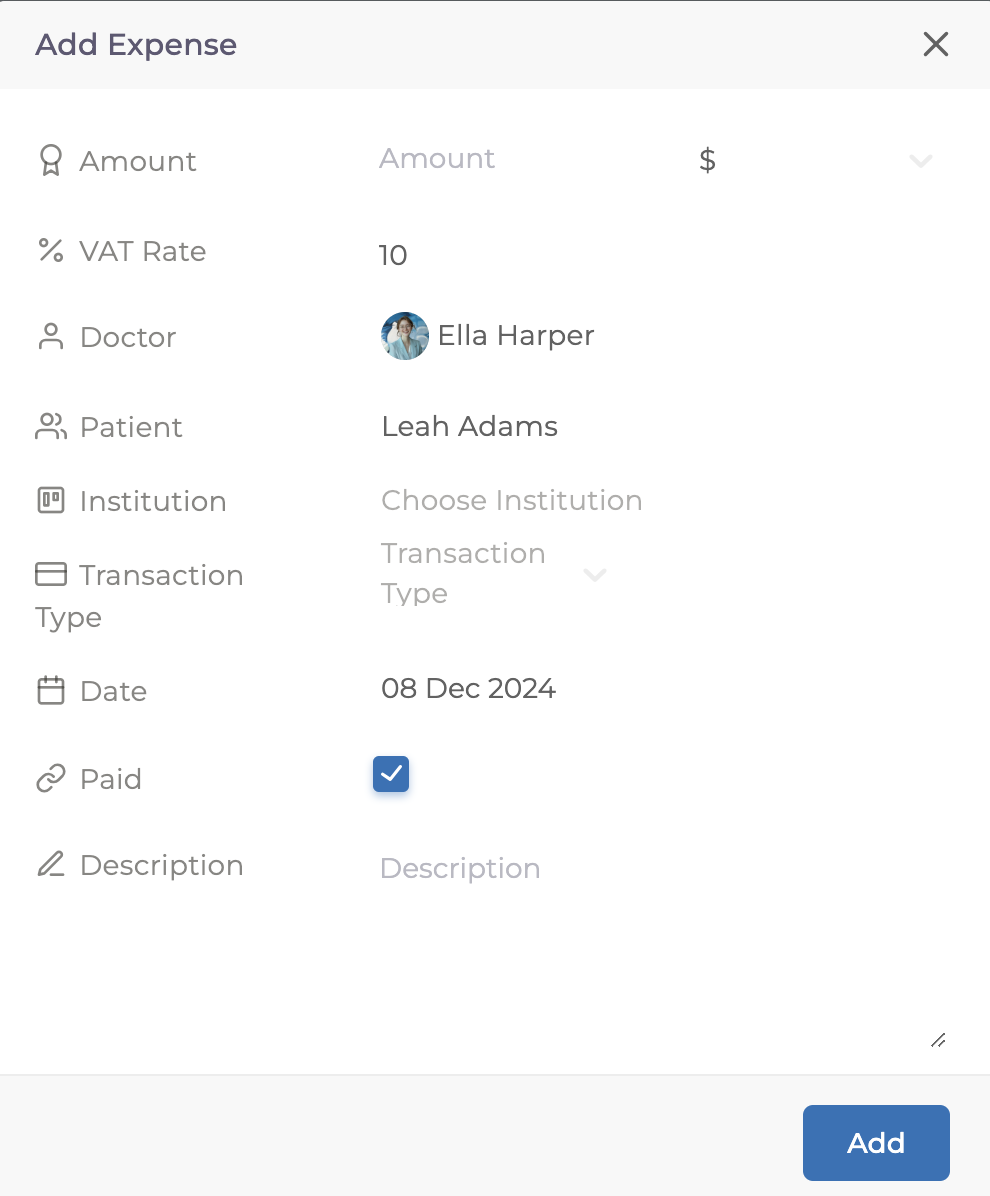
Here, you can simply enter a price to add the expense.
If you want to include more details, you can specify additional information such as Institution or Date on the same screen.
Another way to add expenses is through your daily operations. By clicking on your clinic logo in the bottom left corner, you’ll see the option to select Add Expenses.
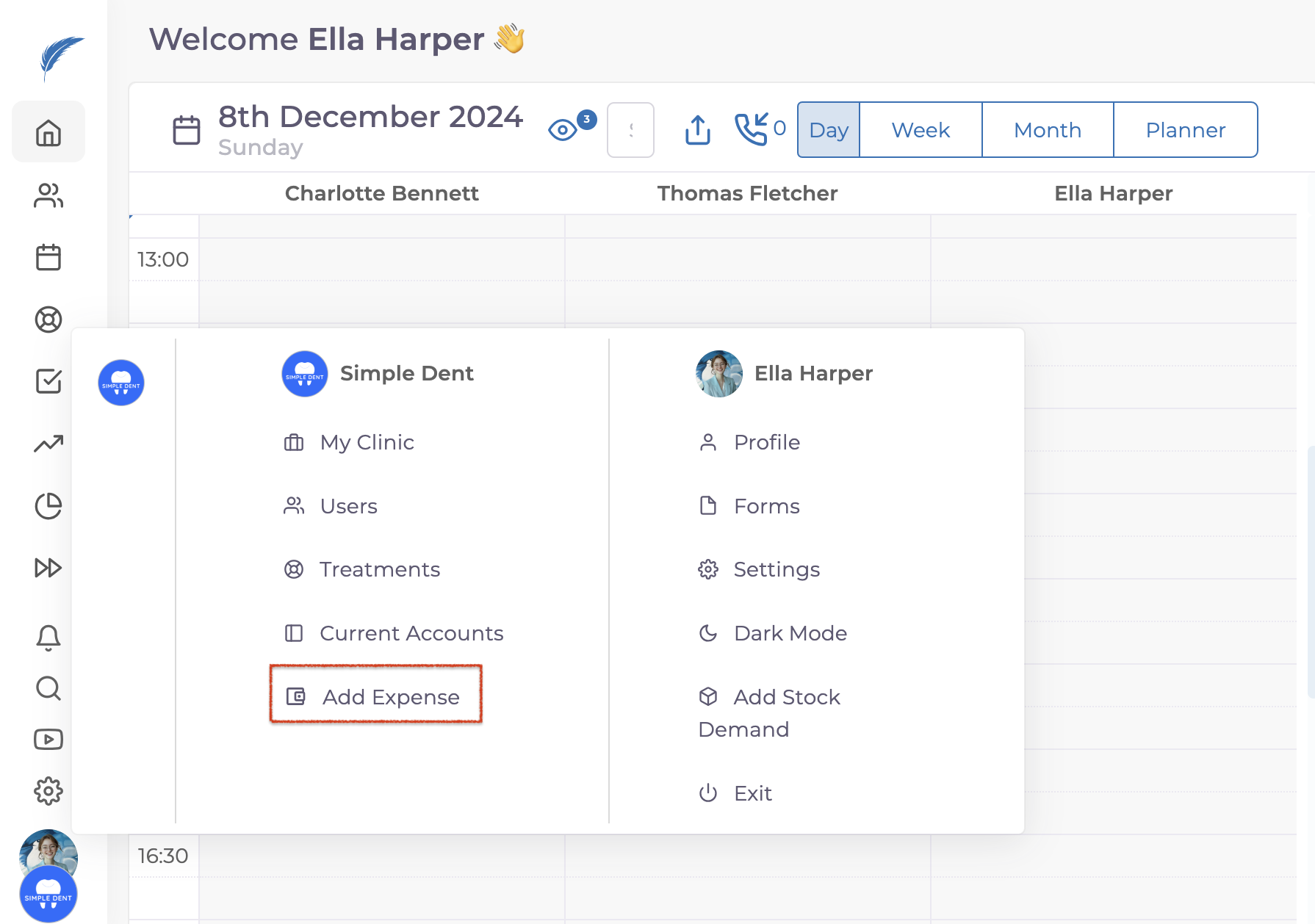
From there, you can add expenses as a general Institution Expense or as a Doctor Expense, depending on your preference.
You can also view all expense reports in the Reports section. For a detailed guide on how to access and interpret these reports, visit: https://help.medicasimple.com/en/articles/6836179-reports