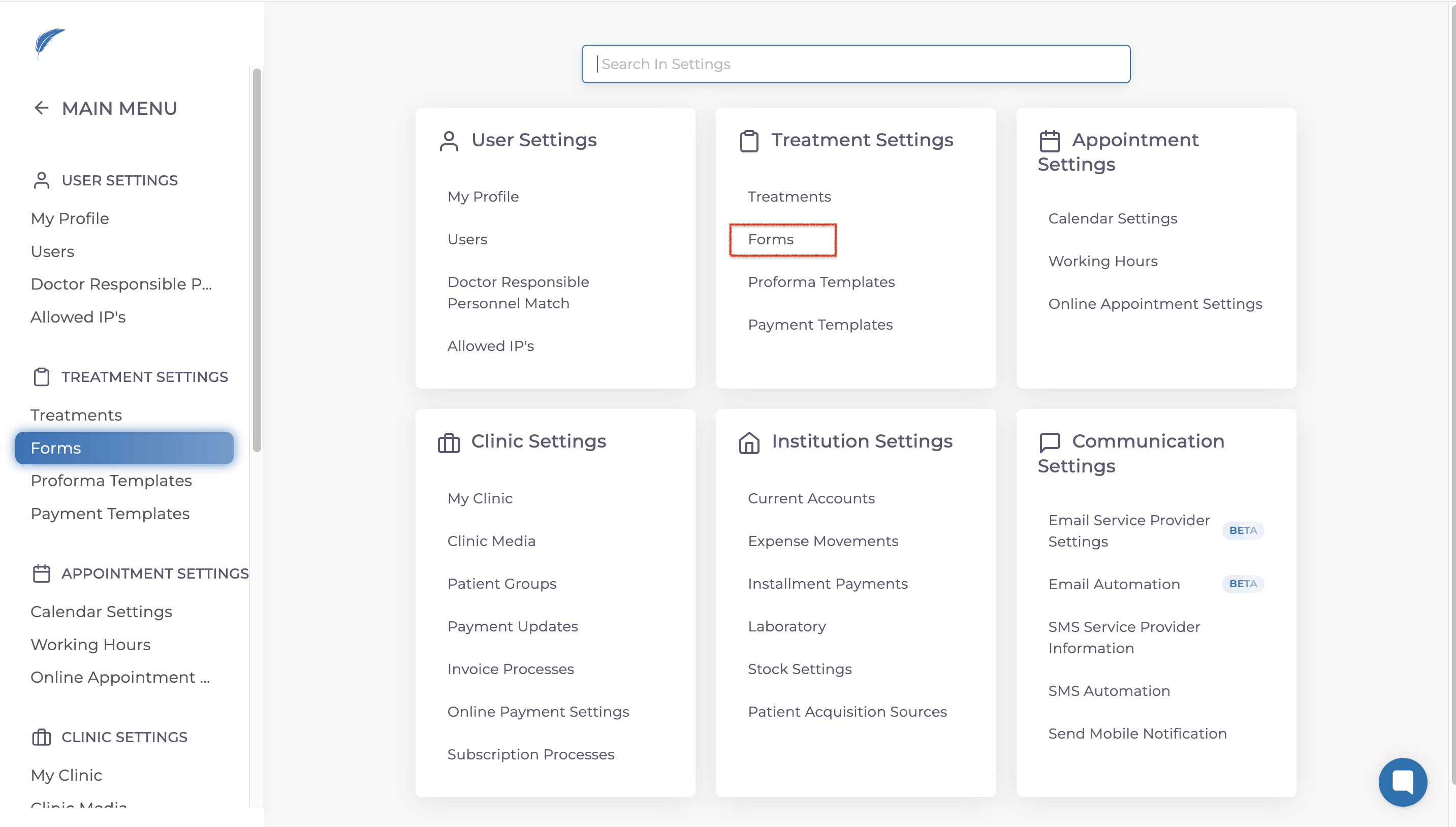
To create a Customer Experience Form, start by going to the Settings. From there, navigate to the Treatment Settings area and select Forms.
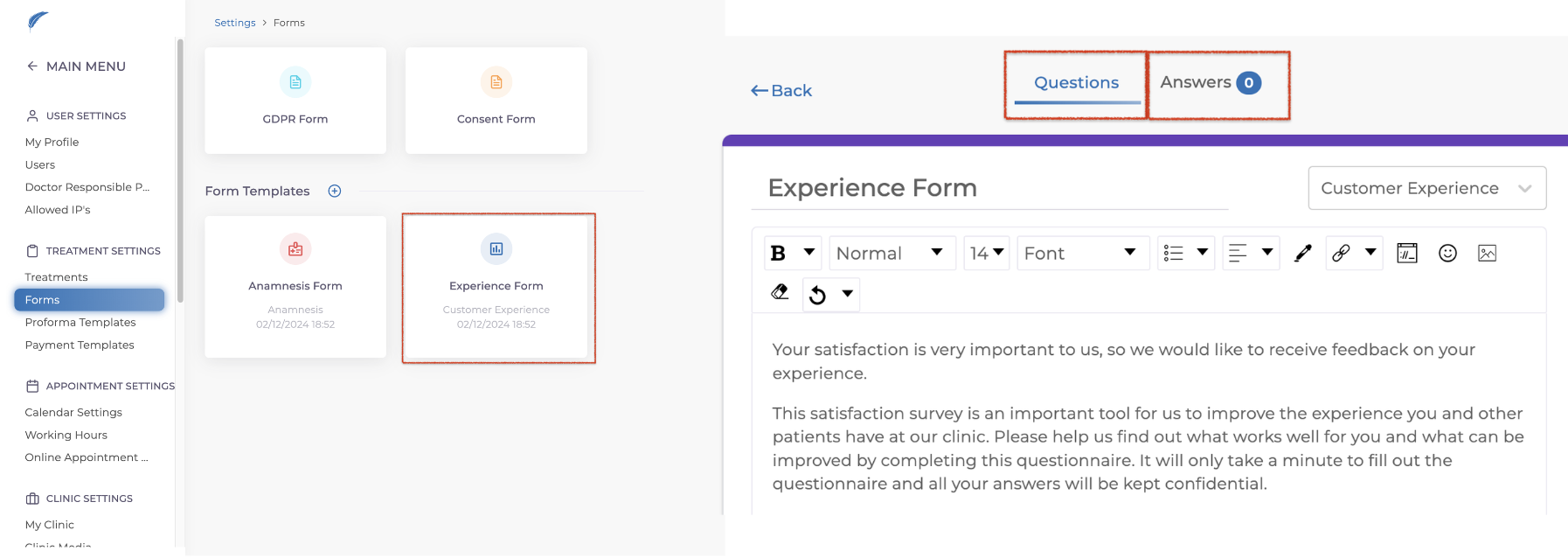
In the Forms section, choose Customer Experience. This is where you can design your form under Questions headline and see patient's answers under the Answers headline.
Once the form is ready, it will automatically be sent to patients after their appointment status is marked as Completed.
If a patient gives your clinic a five-star rating, the system can redirect them to a page of your choice. For example, you can guide them to your Google Reviews page, helping your clinic gain more online visibility.
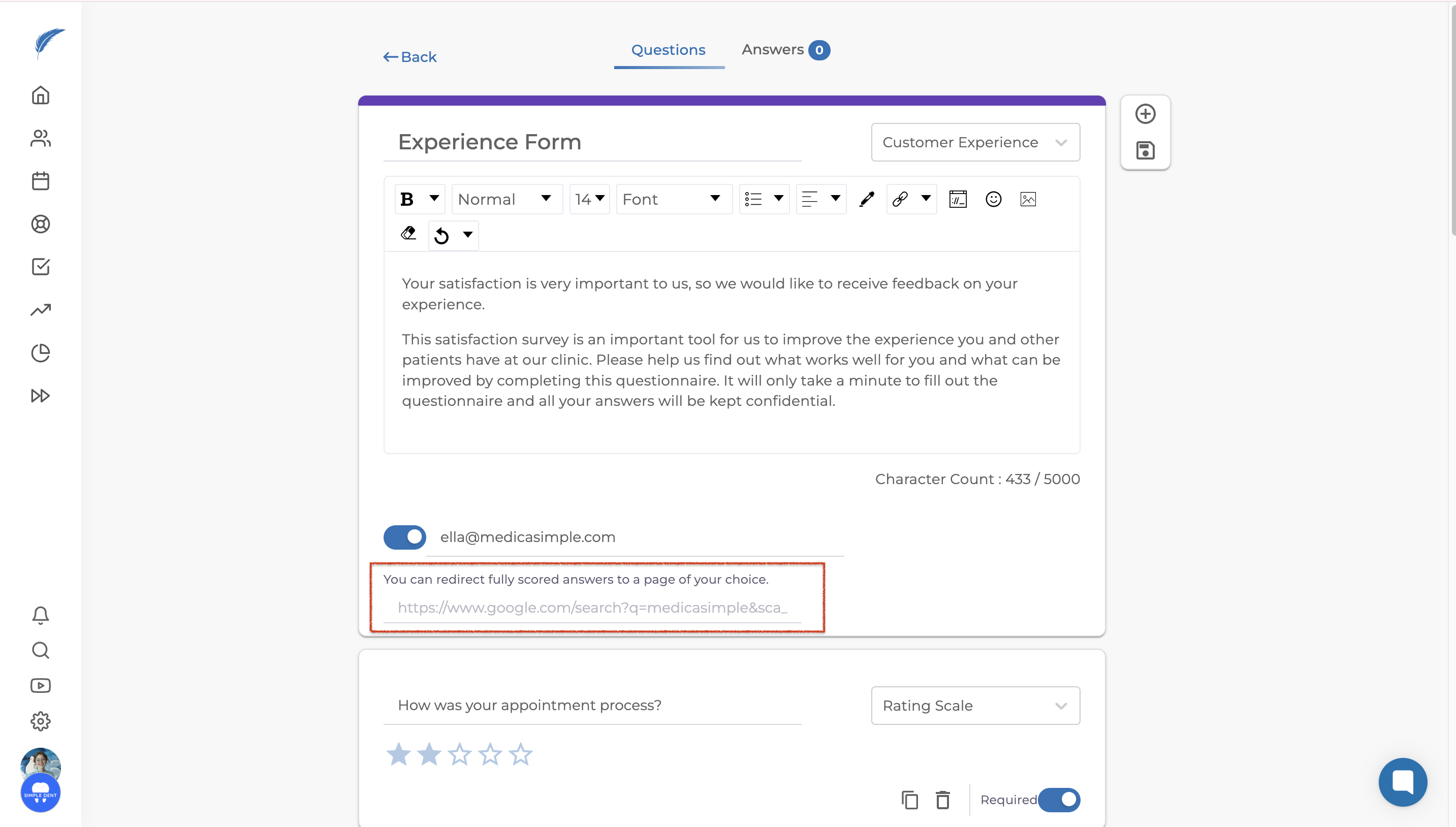
To make the most of this feature, link your clinic’s Google Review page in the automation settings. This will encourage patients to leave positive reviews, making your clinic more discoverable to others.