To set up an installment plan for a patient, start by going to the patient's wall and accessing the Payments section. From there, click on Payment Plans at the bottom right corner.
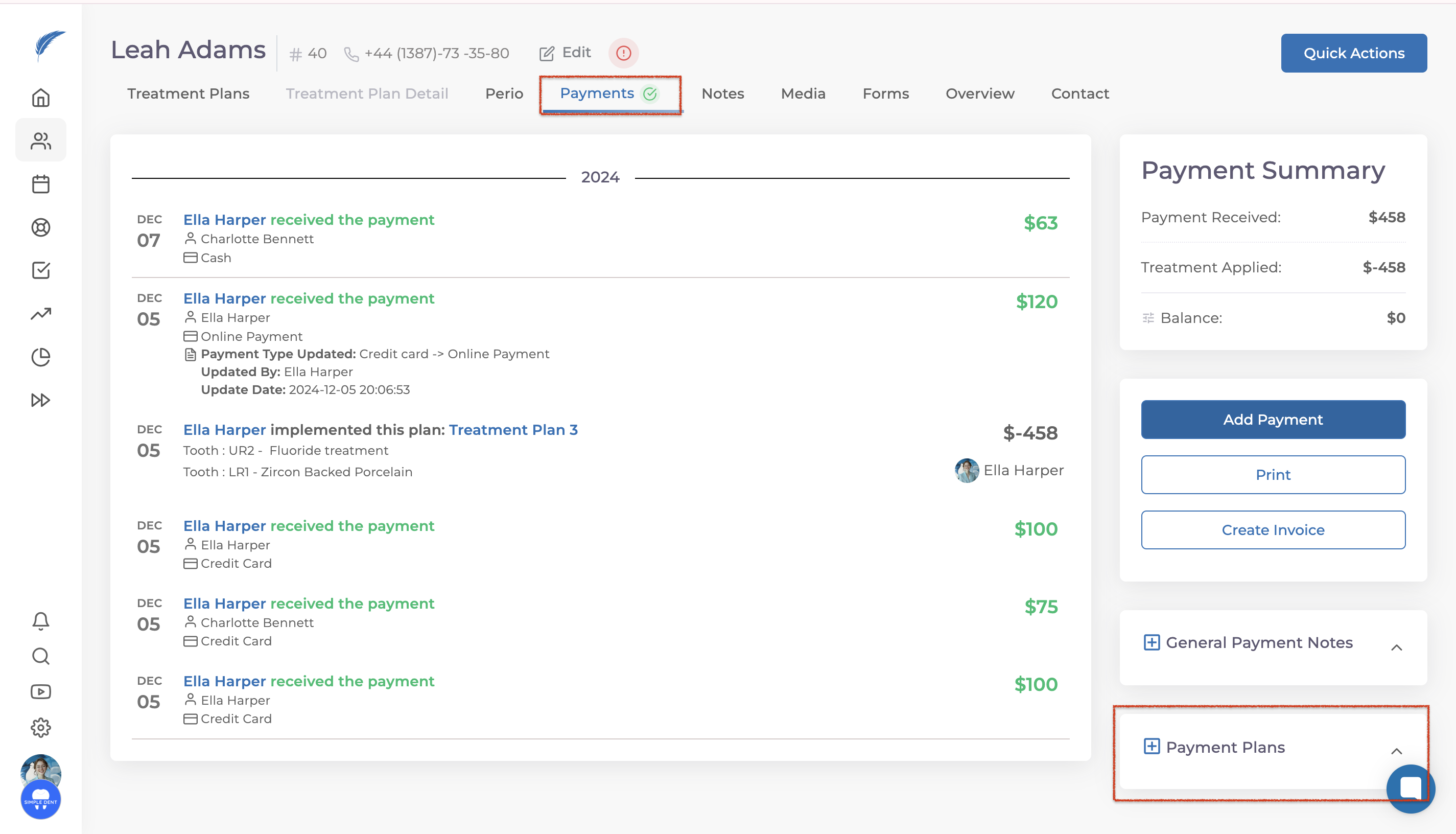
In the panel that opens, click on Add Installment Plan. You will be prompted to provide a title for the plan, which you can customize based on the patient and installment details.

Enter the total amount you want to split into installments, specify the number of installments, and select the start date for the payments. After completing these steps, click Add to save the plan. Once added, you can view the installment details.
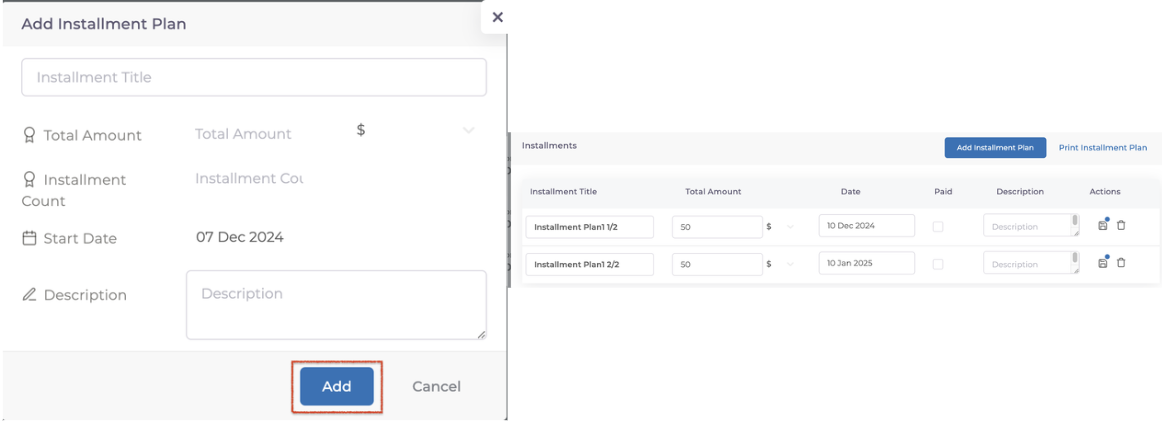
To see and manage installment plans, go back to the Payments section and navigate to the Payment Plans tab in the bottom right corner.
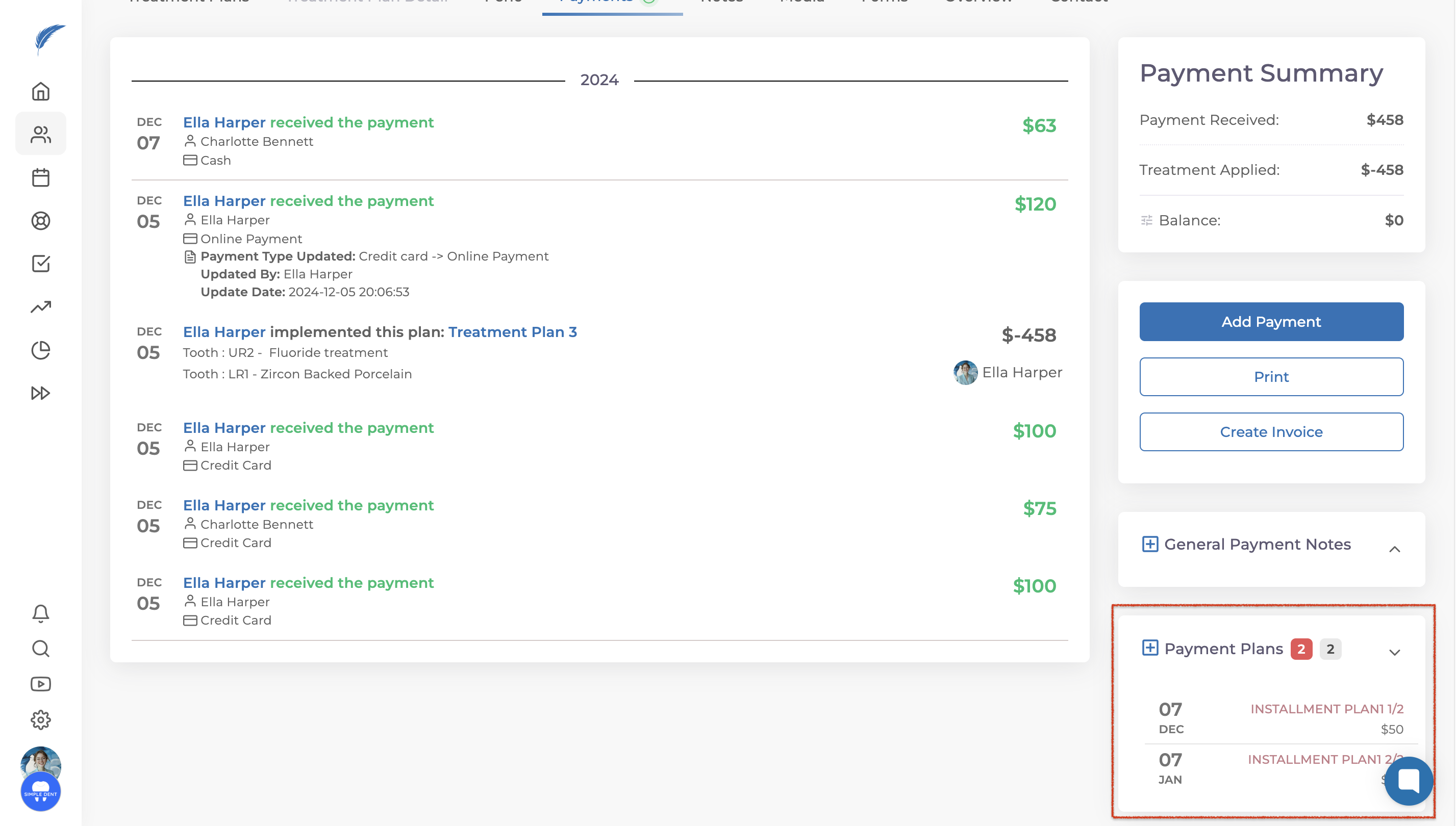
When recording an installment payment, first log the received payment by clicking Add Payment in the regular payment section. Then, mark the payment as completed using the Payment Plan template in the bottom right.
If you have further questions, feel free to reach out to us via the live chat button for detailed assistance.