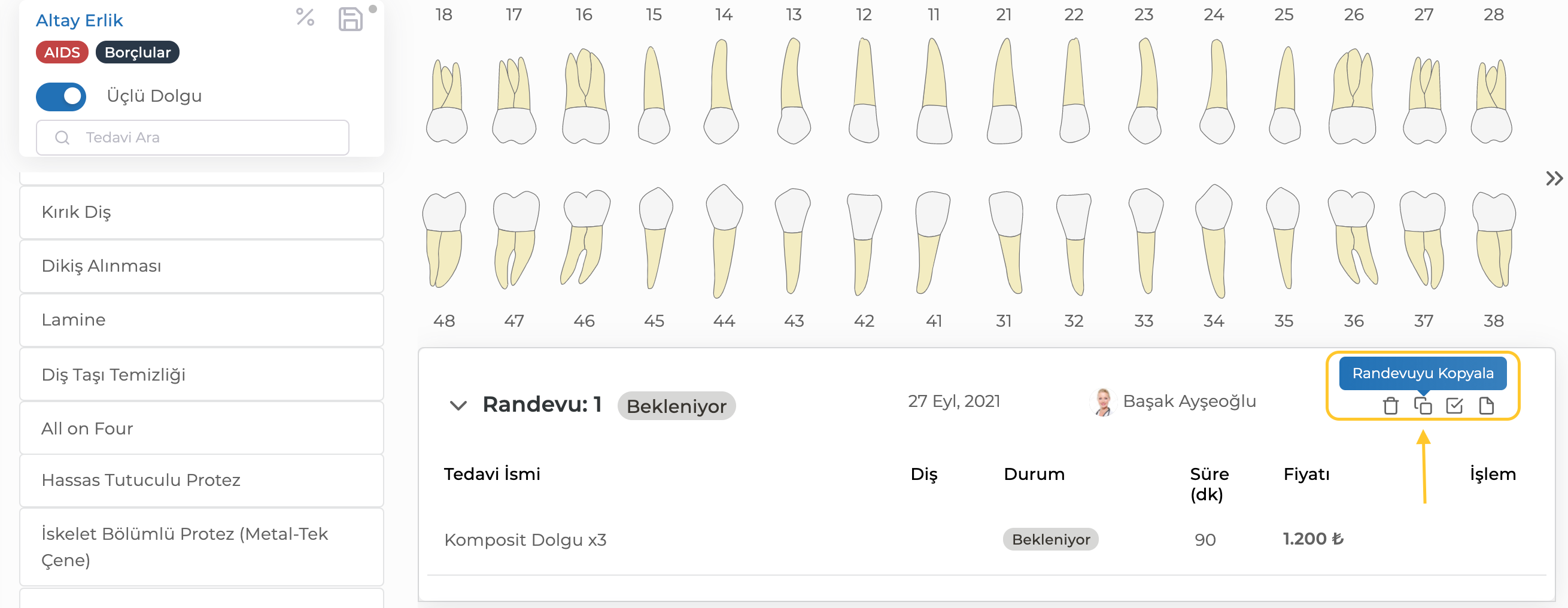
To speed up the process of adding appointments in treatment plans, you can copy previous appointments. To do this, you need to click the "Copy Appointment" button located at the top right of the appointment.
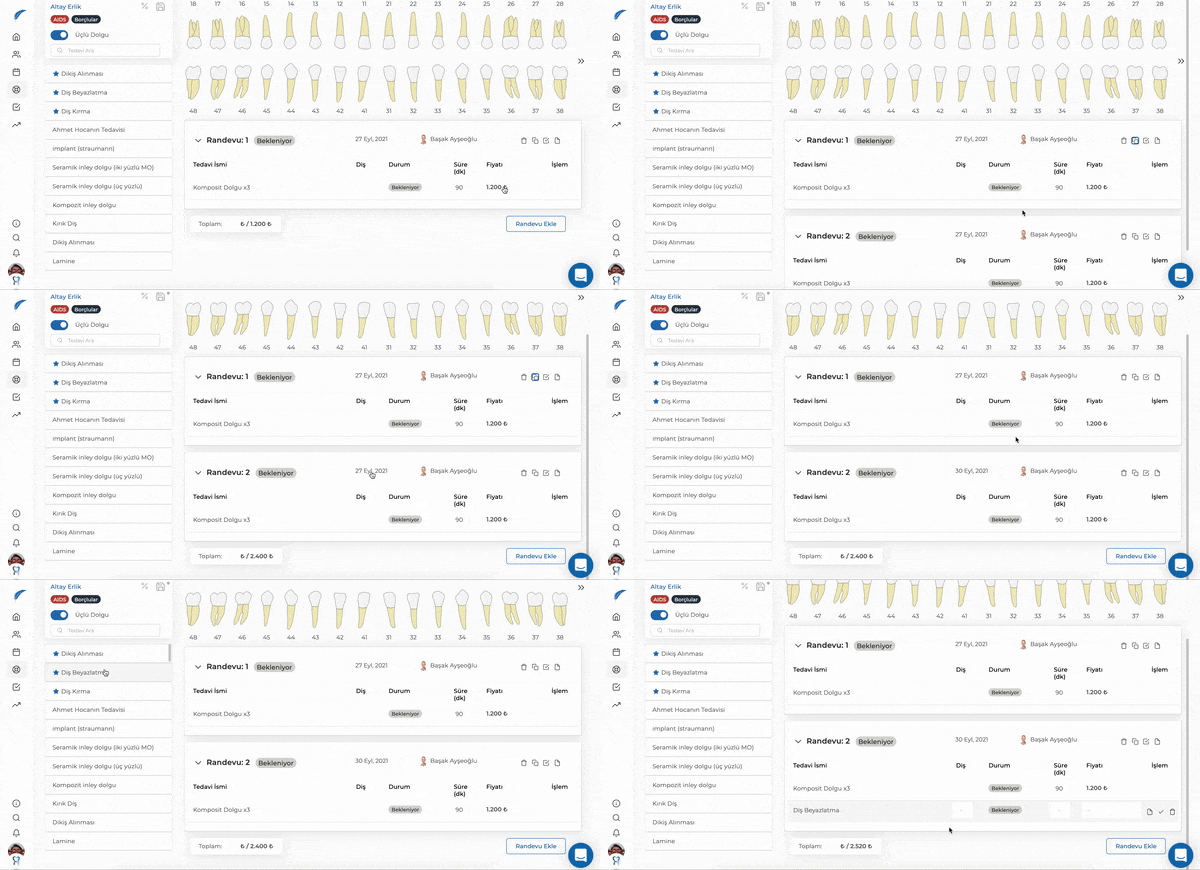
After clicking the "Copy Appointment" button, you will see the new appointment section listed as "Appointment 2." For the new appointment, you can select the treatments you planned from the list on the left and set the appointment date from the calendar.
For more information about treatment plans, you can check our other articles. If your issue is not resolved, you can contact our team for detailed information using the live chat button.