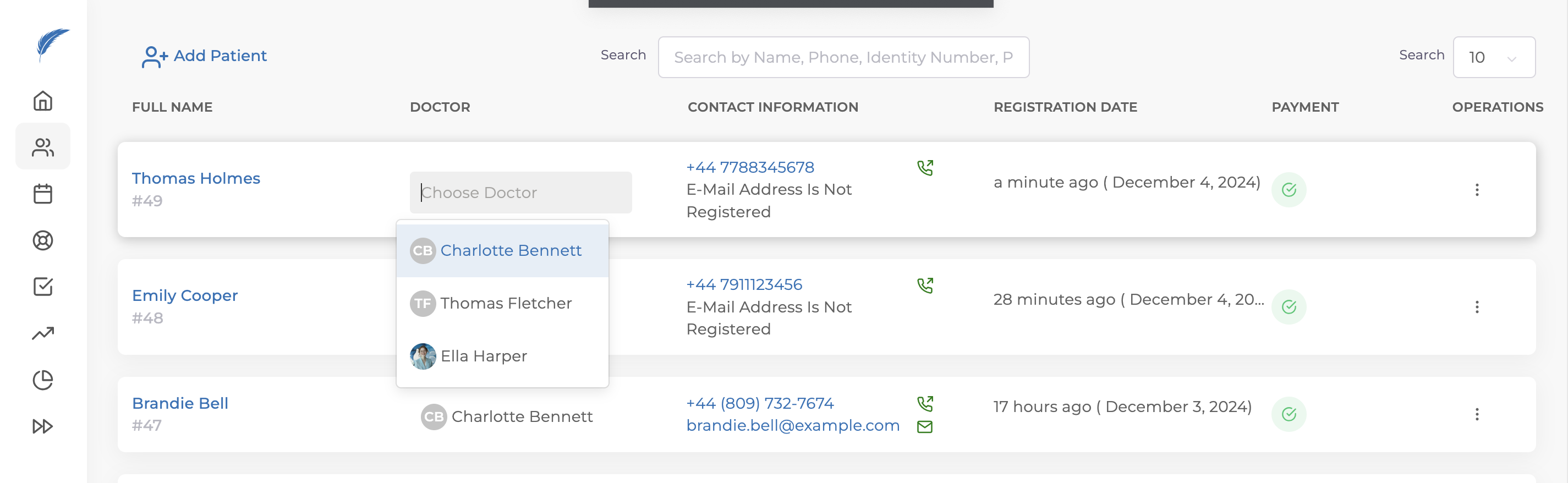
To assign a doctor to your patient, first click on the "Patients" menu on the left to access the page where patients are listed.
When you register a new patient in Medicasimple, the text "Doctor Not Assigned" will automatically appear to the right of the patient's name.
To assign the relevant doctor to a patient, click on the "Choose Doctor" button, and select the appropriate doctor from the dropdown list that appears. If you want to change the doctor currently assigned to an existing patient, click on the name of the current doctor and choose the new doctor from the list.
For more information about your patient's details, please refer to our other articles. If your issue is not resolved, you can contact our team for detailed information via the live chat button.